
Counterparty Creation
In Kooltra, clients are referred to as counterparties (this term also covers all trading counterparts, including clients and liquidity providers), and setting one up is quick and easy.
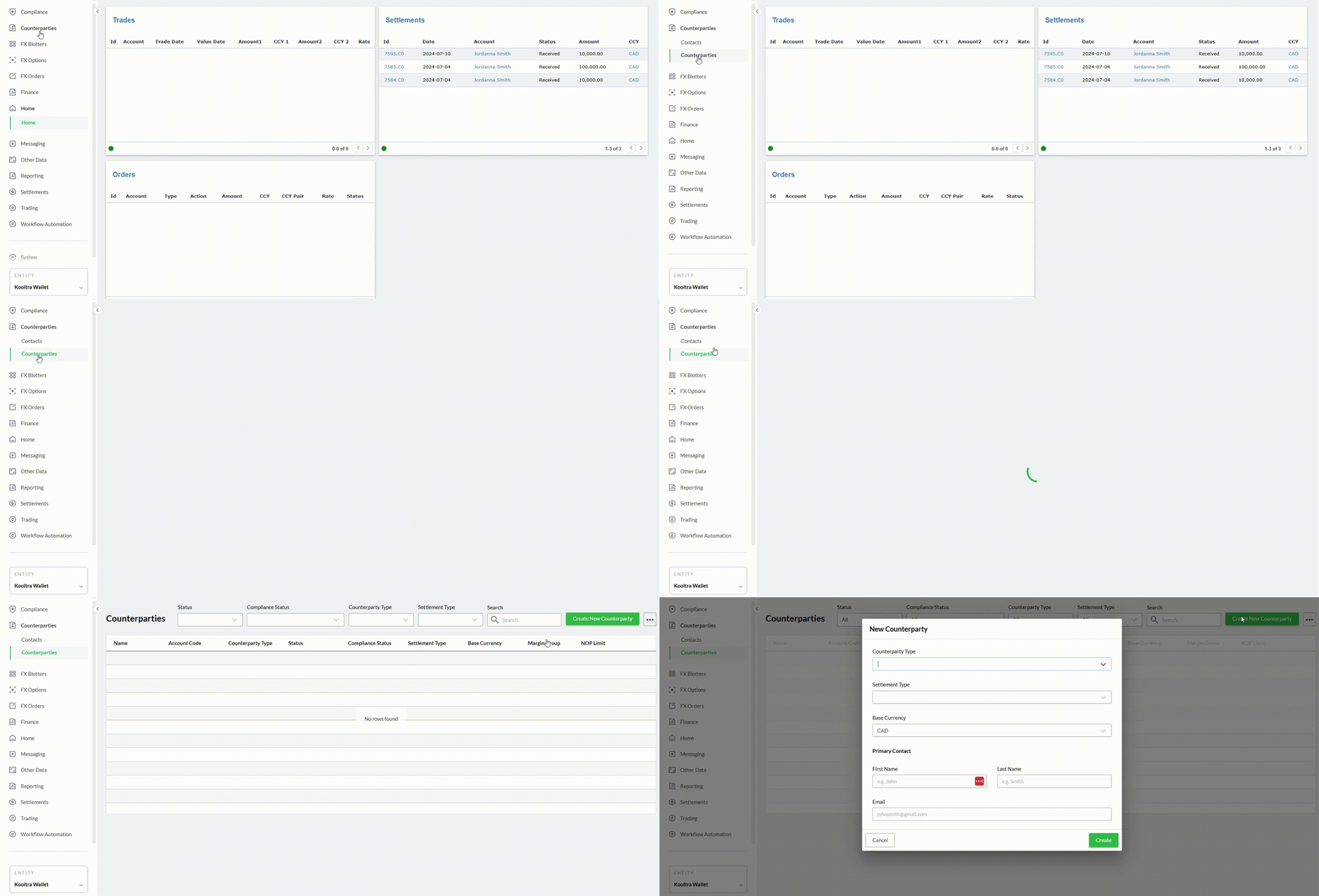
First, go to the "Counterparties" section in the left sidebar, then click "Create New Counterparty" at the top right of the screen. From there, just enter the client details—like counterparty type, settlement type, base currency, and primary contact information. Once everything’s filled in, click "Create," and you're all set.
Updating Client Applications
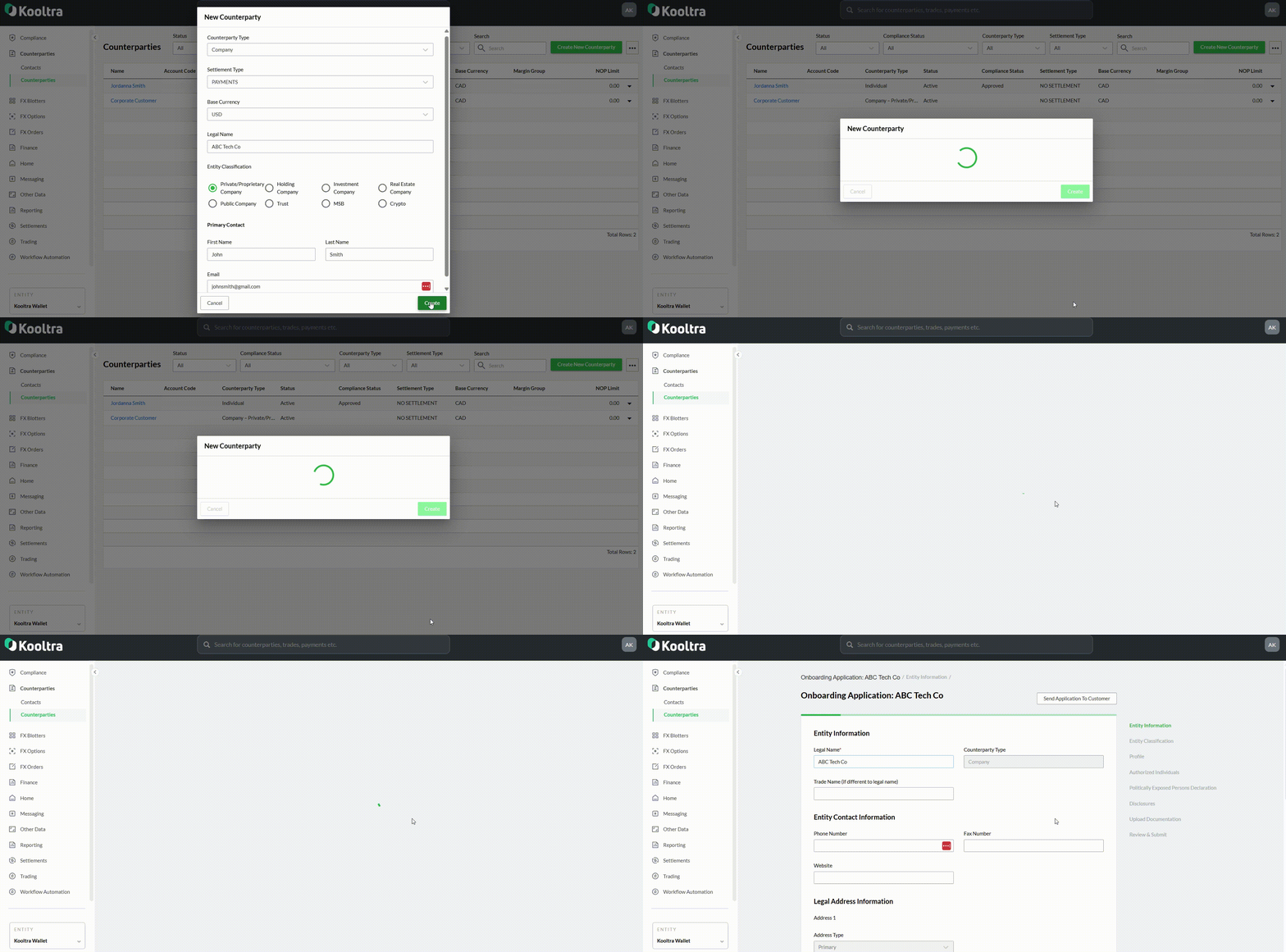
After creating a counterparty, you’ll be immediately prompted to start their onboarding application or return to it whenever you're ready. All your clients' KYC details are easy to manage through the platform, keeping their information organized and compliant with just a few clicks
Sending the Application to your Client
You can either complete the onboarding application yourself if you have all of your client's details or just fill in the basics and send the application to your client with one click—they’ll complete the rest. Once submitted, it goes directly to your client relationship manager for review, streamlining the process for both you and your client.