Exporting a Report
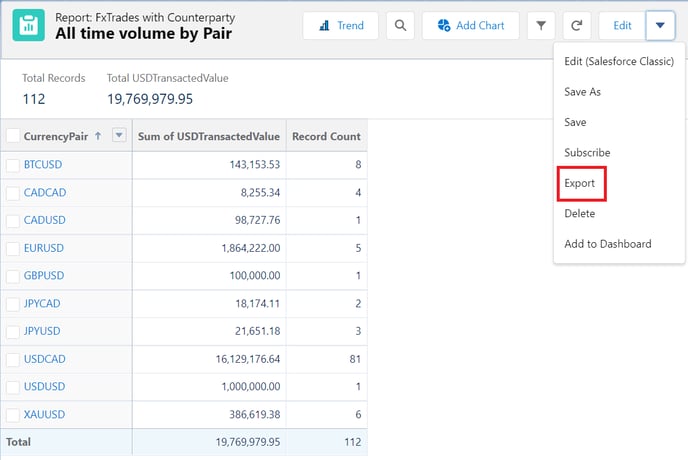
To export a custom report, click on the dropdown arrow next to Edit in the top-right corner of the page and then Export as below:
Scheduling a Report
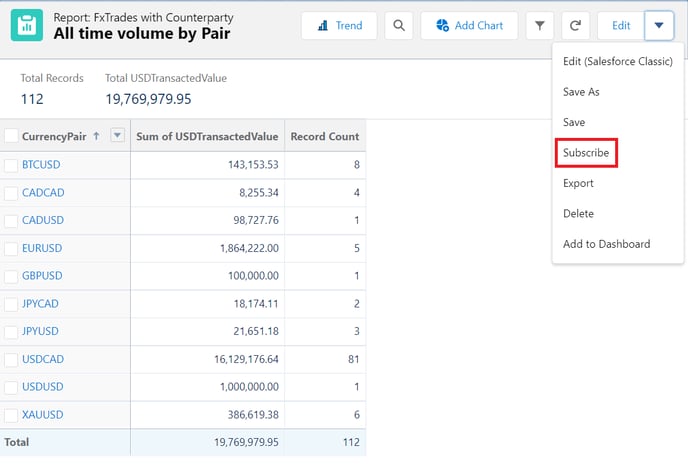
In order to schedule a report to run regularly, click on the dropdown arrow next to Edit in the top-right corner of the page and then Subscribe as below:
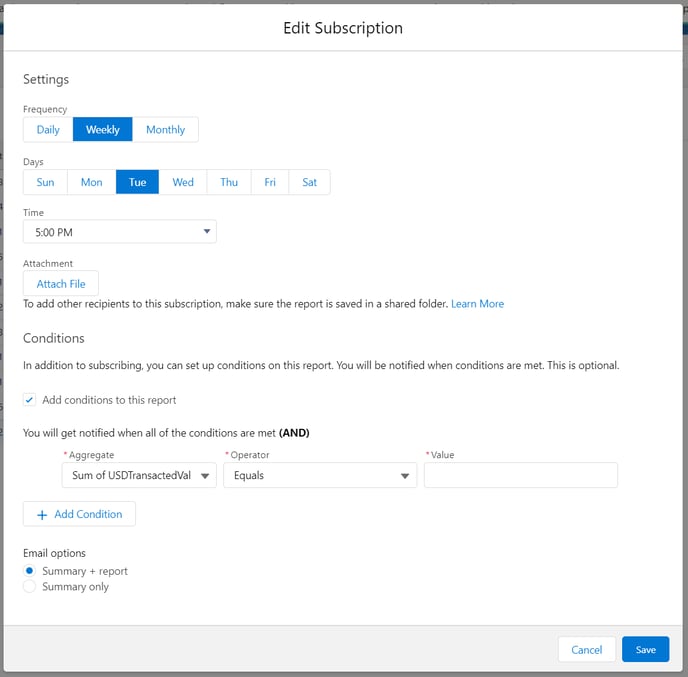
This will launch a window that allows you to specify the frequency and time that the report should be run, as well as specifying that the report should run whenever some specific conditions are met (for example, scheduling a report to be run whenever deals are entered with a notional above a specified threshold).