
Clients are considered Counterparties in Kooltra (Counterparties refers to all trading counterparts, incorporating both clients and liquidity providers).
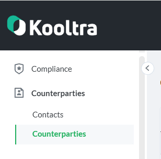
To access the counterparties page in Kooltra, click on Counterparties > Counterparties in the navigation panel:
To add a new client counterparty to Kooltra, follow the steps below:
- Within the Counterparties page, click Create New Counterparty on the top right of the screen:

- In the window that loads, specify:
- The Counterparty Type - for client accounts this should be either Company or Individual
- The Settlement Type - for clients who net settle their trades, select Vostro
For clients who settle trades individually, select Payments
If a client mostly settles trades individually, but sometimes links trades together for net settlement, select Payments - The Base Currency - this is the client's home currency, used in statements when displaying their cash balances or P&L
- The Legal Name - the client's legal name
- For Companies, you will also need to specify the Entity Classification, which is used in performing compliance risk assessments and AML checks
- The First Name, Last Name and Email address of your Primary Contact for the client. Additional contacts can be created later
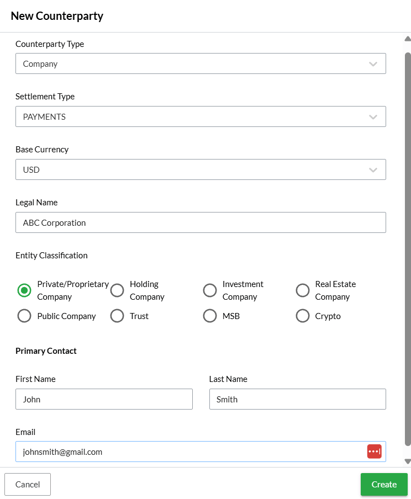
- Click Create at the bottom of the page
- You will receive a pop-up message asking if you would like to fill in a compliance onboarding application for the client to capture all necessary KYC information.
Click Skip for Now to ignore this step, or click Proceed to Onboarding Application to start capturing KYC information about the client.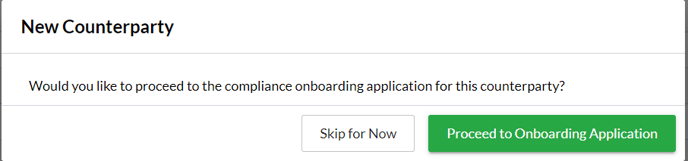
The client account has now been created!
To finalize the client account setup, you will need to:
- Define which Currencies and Products the client is permitted to trade.
These can be configured on the Counterparty Management page that loads after creating the client account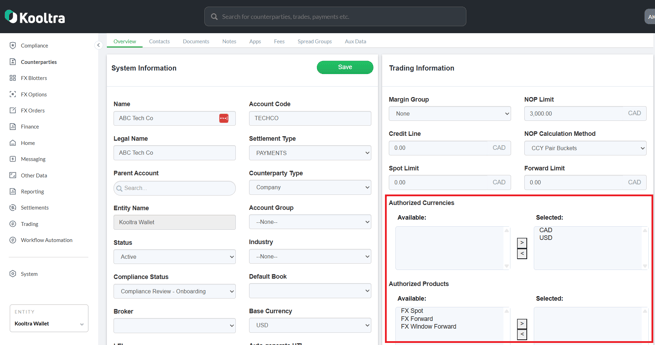
- Define which Settlement Methods are available to the client to settle their trades.
These can also be configured on the Counterparty Management page that loads after creating the account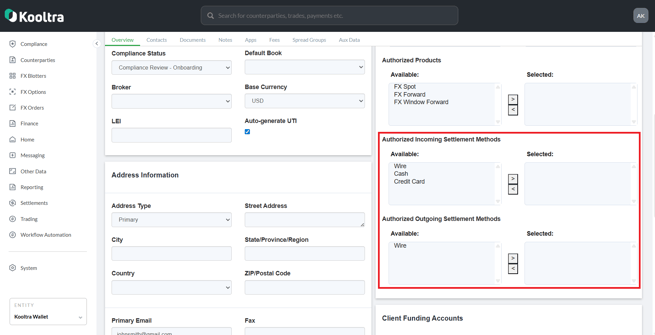
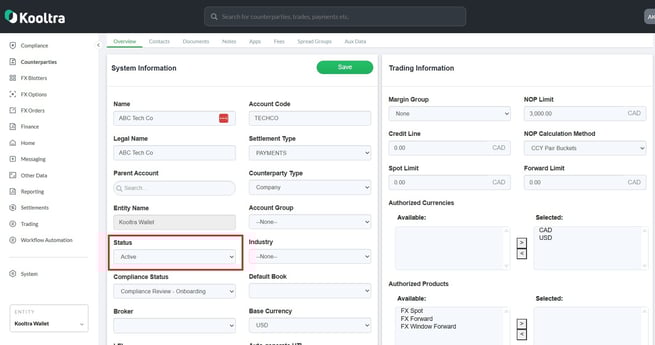
- Set the set the Status of the account to Active
- Create Beneficiaries that define how the client will settle each of the currencies they will be trading
Once these steps are complete, you are good to start booking trades for the client!
To understand more about the information you can capture in the Counterparty Management page, see our article How do I update Counterparties in Kooltra?