
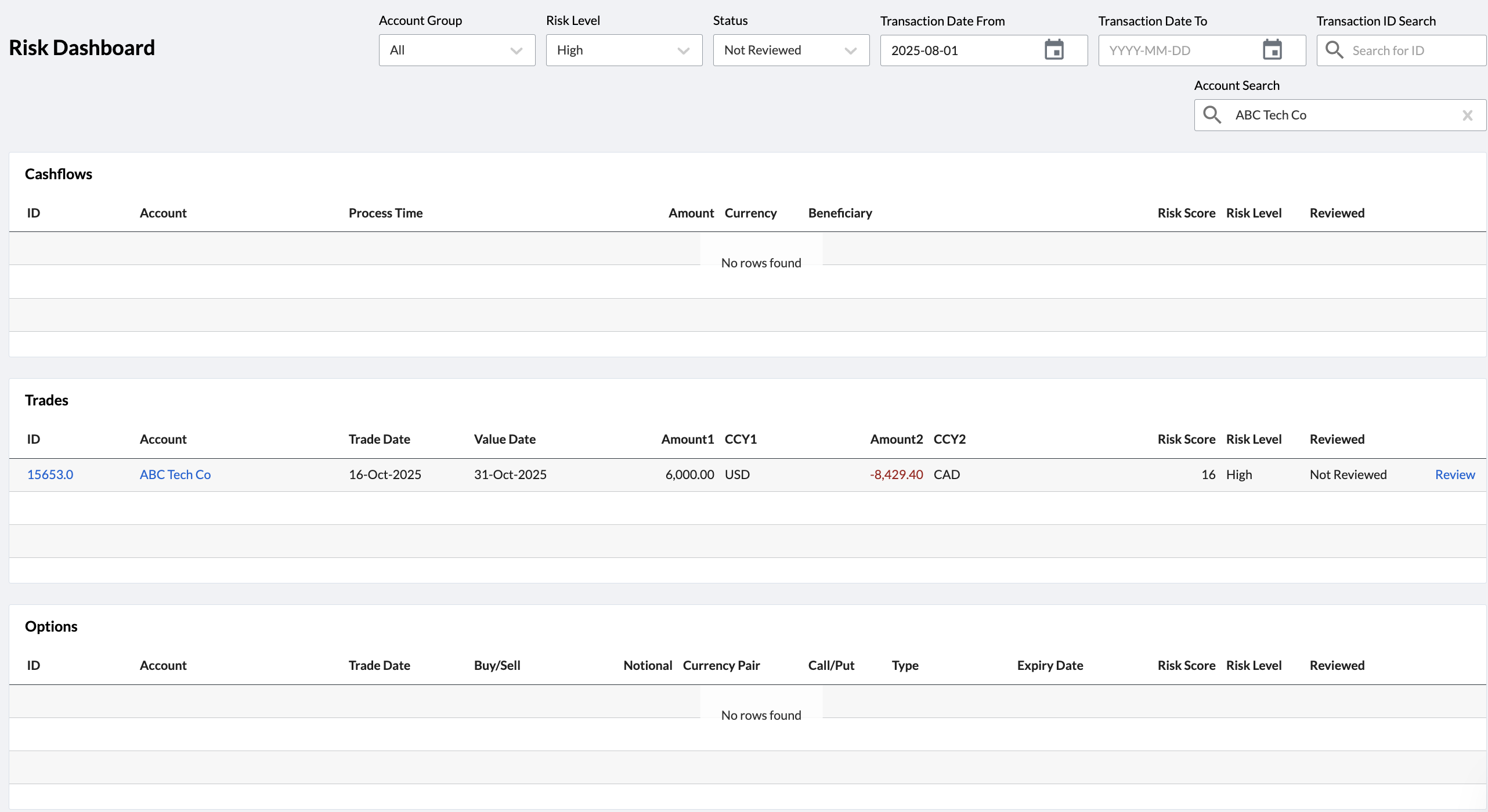
The Risk Dashboard was designed for compliance users to review and monitor the risk score of trades, cashflows and options. To access the Risk Dashboard, click on Compliance > Transaction Risk Monitoring in the navigation pane.
Before transactions are monitored in Kooltra, the Transaction Risk Monitoring App must be enabled and set up in Entity > Entity Settings (Apps tab). For more information about enabling and configuring the Transaction Risk monitoring app, please review the help guide here.
Risk Dashboard Layout
The Risk Dashboard presents risk scores across three cards: Cashflows, Trades, and Options. By default, this dashboard displays all high risk transactions that have not been reviewed. Filters are available at the top of the page, allowing you to change the transactions that appear on the dashboard based on Risk Score (High, Medium, Low, All), Reviewed Status (Reviewed, Not Reviewed, Escalated, All), Account Group, Transaction Date From, Transaction Date To, Transaction ID Search, and Account Search.
Risk Details
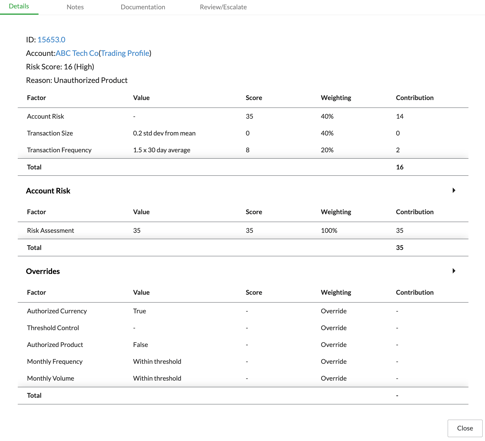
Details about each transaction can be found by clicking on the blue "Review" link on the rightmost column of each card. This will open a pop-up that summarizes the Risk Level (Low, Medium, High), the Risk Score, and any flagged factors. The factors that may flag a transaction are unauthorized currency, product, size, and frequency. Additionally, individual scores (size, frequency and account) that are used to calculate the Risk Score are summarized in card.
Reviewing a Risk Score
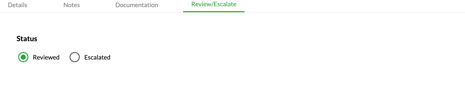
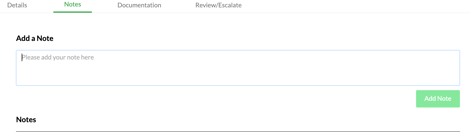
Transactions can be reviewed (marked as safe) and have notes added to them. If a transaction is marked as high risk, then you will be required to add a note before you are able to mark the transaction as reviewed.
To add a note, navigate to the Notes tab in the Risk Details card.
Note that once a transaction is reviewed, you will only be able to see this transaction on the risk dashboard if you set the Reviewed filter at the top to All.
Risk Scoring
Information about how risk scores are calculated can be found in the Transaction Risk Monitoring app help guide.