Rollovers
A rollover can be used when you need to extend a position to a new value date, whether to maintain exposure or to address situations where a trade cannot be settled on time, such as missing client funding.
How to Rollover a Trade in Kooltra
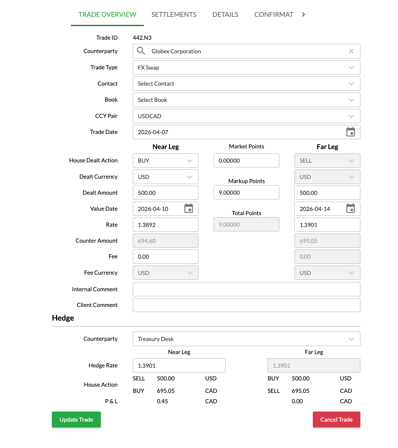
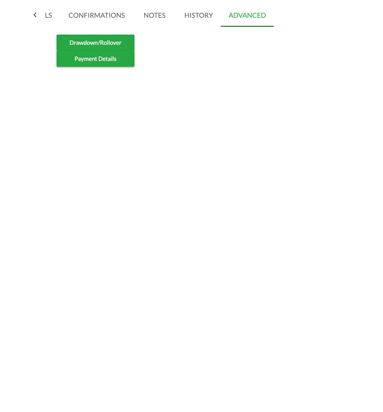
To rollover a position in Kooltra, open the ticket you would like to roll over and navigate to the Advanced tab. From there, click the Drawdown/Rollover button to initiate the rollover process.
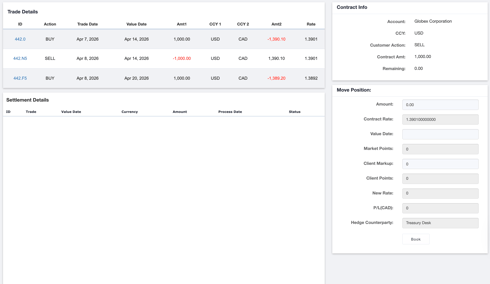
On the Rollover / Drawdown page, there are three cards:
- Trade Details Card: Displays details of the original trade, as well as the swap trades created from the rollover or drawdown.
- Contract Info Card: Shows key information about the trade, including the account, currency being rolled over, trade direction, contract amount, and the remaining amount available to be rolled over or drawn down.
- Move Position Card: This is where you enter the required details to execute the rollover or drawdown.
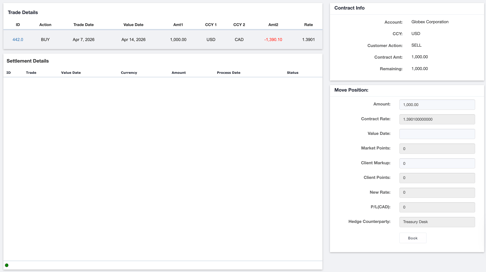
To execute a rollover, complete the following fields under Move Positions:
- Amount: Pre-populated with the original trade amount.
- Contract Rate: Pre-populated based on the current rate of the original trade.
- Value Date: Enter the new value date for the rollover.
- Client Markup: Enter the number of points to adjust the new rate from the original contract rate.
- P&L: Automatically calculated based on the inputs from the client markup field.
- Hedge Counterparty: Typically defaults to the treasury desk.
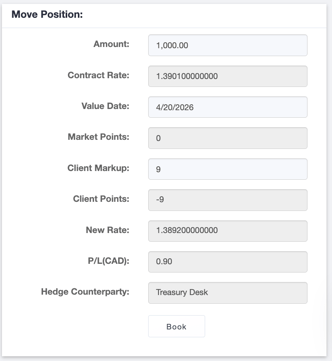
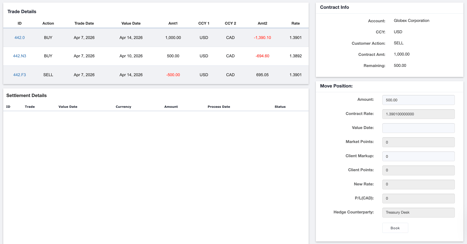
Once you click Book, Kooltra will create a swap ticket.
-
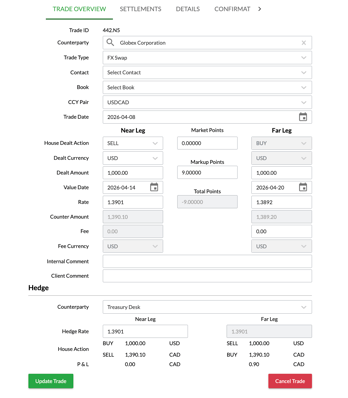
On the original settlement date, the original trade and the near leg of the swap offset each other.
-
The far leg of the swap reopens the same position with the new settlement date, carrying the position forward.
Drawdowns
A drawdown allows you to reduce a position by settling a portion or the full amount of an existing trade.
How to Drawdown in Kooltra
To drawdown a position in Kooltra, open the ticket you would like to drawdown and navigate to the Advanced tab. From there, click the Drawdown/Rollover button to initiate the process.
On the Rollover/Drawdown page, under Move Positions, the fields are the same as a rollover with one difference:
- Amount: Enter the portion of the position you would like to draw down. This can be less than or equal to the original trade amount.
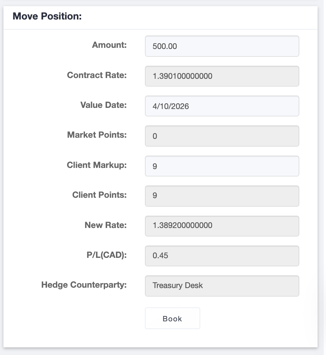
Once you click Book, Kooltra generates a swap ticket. The near leg offsets part or all of the original trade on the original settlement date. The far leg creates a new trade for the remaining position with the updated value date.