
To set up fee groups that automatically charge clients on trades, configure the following fields on the Fee Groups page.
This guide explains each field and its impact on your fee structure. For more details on adding fees/commissions to your entity and automatically charging clients, refer to the article: How to Add Fees/Commissions.
Fee Group Page
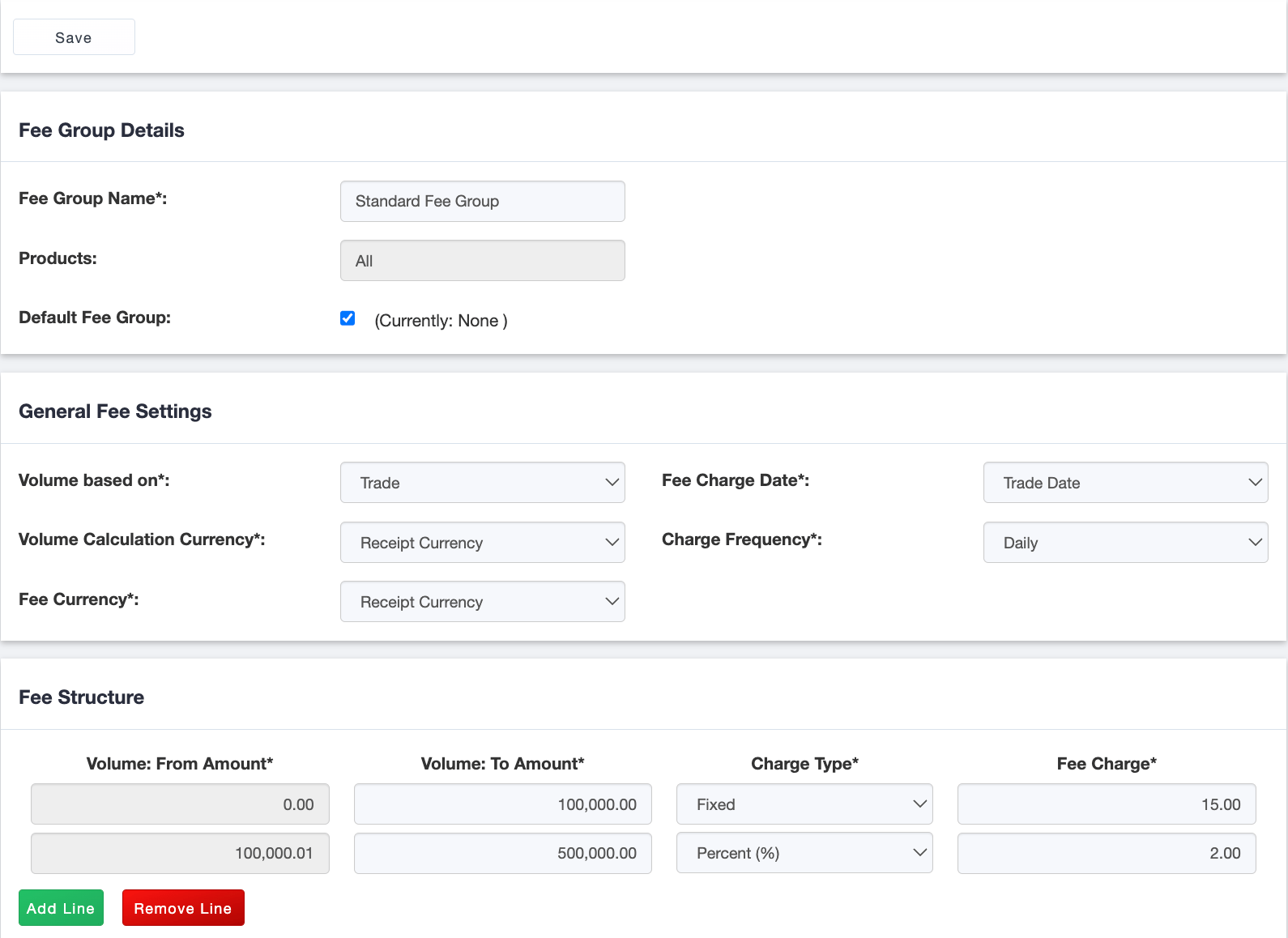
Fee Group Details
| Field | Field Description |
|---|---|
| Fee Group Name | Mandatory – Assign a unique name to identify the fee group. |
| Products | Non-editable – Kooltra supports the same fee structure across all FX products (spot, forward, swaps, and NDFs). |
| Default Fee Group | Optional – Mark a fee group as the default to charge fees to all clients within the entity/business line. Only one fee group can be the default. |
General Fee Details
| Field | Field Description | Example |
|---|---|---|
| Volume Based On | Mandatory – Indicate whether the fee structure volume is based on the trade volume or monthly trade volume. For example, is the fee charged on a trade-by-trade basis, or is it based on the cumulative trade volume in the calendar month? |
If you selected Trade, then a 15.00 fee is charged if the trade amount is between 0 and 100,000, or 2% if the trade amount is over 100,000. If you selected Monthly, then the fee is based on the total trade amount across multiple trades booked during the month. For example, if the client booked 5 25K USDCAD trades in November, the total monthly volume is 125K, and the client will be charged 15.00 on each of the first 4 trades (100K) and 2% on the last trade.
|
| Volume Calculation Currency | Mandatory – In what currency are we evaluating the trade notional or trade volume? |
ABC Company's (your client) account base currency is CAD. The market rate for EURCAD is 1.3. Let's say you book a BUY 100,000 EURUSD @ 1.2 trade with ABC Company. The client will be charged a fee/commission based on: 130,000 CAD (100,000 EUR x 1.3 EURCAD) if you selected Account Base Currency, so a 2% fee on 130K; 100,000 EUR if you selected Receipt Currency, so a 15.00 fee; 120,000 USD (100,000 EUR x 1.2 EURUSD) if you selected USD, so a 2% fee on 120K.
|
| Fee Currency | Mandatory – Select the currency that the fee should be charged in: Account Base Currency of the client account, Receipt Currency of the trade, or USD. | ABC Company's (your client) account base currency is CAD. Let's say you book a BUY 100,000 EURUSD @ 1.2 trade with ABC Company. The client will be charged a fee/commission in: CAD if you selected Account Base Currency; EUR if you selected Receipt Currency; USD if you selected USD. |
| Fee Charge Date | Mandatory – When is this fee charge/commission charged? Is it charged on the Trade Date (the date the client booked the trade), or is it charged on the Value Date (the date the client will send you payment to settle the transaction)? | Let's say you book a forward on November 15th that settles on December 15th. If you selected Trade Date, the client will owe you the fee/commission on Nov 15th. If you selected Value Date, the client will owe you the fee/commission on Dec 15th. |
| Charge Frequency | Mandatory – When does the client have to pay the fee/commission? The fees/commissions can be paid Daily based on the Fee Charge Date and accrued to be paid at Month end. | Let's say you book a forward on November 15th that settles on December 15th. If you selected Daily and the Fee Charge Date = Trade Date, the client will owe and pay you the fee/commission on Nov 15th. The system will deduct the fee amount from the client's vostro at the end of the day on Nov 15th. If you selected Monthly and the Fee Charge Date = Value Date, the client will owe you the fee/commission on Dec 15th and pay it on Dec 31st. The system will deduct the fee amount from the client's vostro at the end of the day on Dec 31st. |
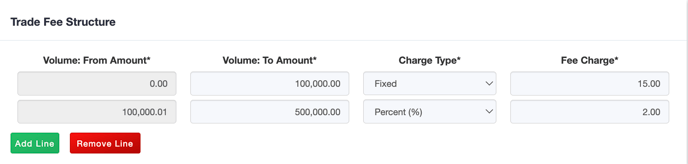
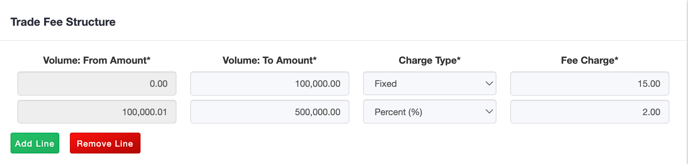
Fee Structure
| Field | Description | Example |
|---|---|---|
| Volume: From Amount | Mandatory – Fees/commissions amounts will be configured based on trade volume or trade amounts. You may charge a fee across all trade volume or create volume tiers to charge a different fee based on volume. This represents the start range of the tier. | 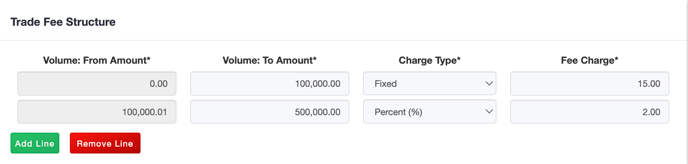 |
| Volume: To Amount | Mandatory – Fees/commissions amounts will be configured based on trade volume or trade amounts. You may charge a fee across all trade volume or create volume tiers to charge a different fee based on volume. This represents the end range of the tier. | 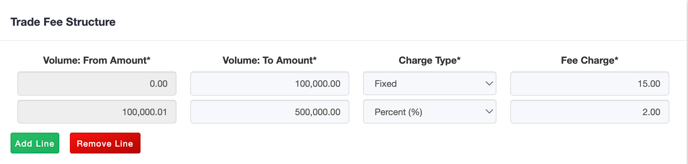 |
| Charge Type | Mandatory – Indicate whether the fee/commission is charged by a Fixed amount, Percent (%) of the trade notional amount, or USD per Million of trade notional in USD. Please note that you may only select USD per million as the charge type if the Volume Calculation Currency is USD. | Example: Let's say you book a BUY 100,000 EURUSD @ 1.2 trade with ABC Company. - If you select Fixed, the client will be charged the Fee Charge amount. - If you select Percent (%), the client will be charged the Fee Charge percentage multiplied by 100,000 EUR (depending on the Volume Calculation Currency). - If you select USD per Million, the client will be charged the Fee Charge multiplied by 120,000 (USD equivalent), divided by 1 million, to pro-rate the USD per million fee charge, as the trade amount is not the full 1 million USD. |
| Fee Charge | Mandatory – Indicate how much fee/commission to charge your client per volume bucket. |