![Kooltra_Logo_Green_White_RGB.png]](https://help.kooltra.com/hs-fs/hubfs/Brand%20Assets/Kooltra_Logo_Green_White_RGB.png?height=40&name=Kooltra_Logo_Green_White_RGB.png)
Kooltra can be accessed from any web browser, although we recommend using Google Chrome.
If this is your first time logging in to Kooltra, you will first need to verify your email address and set your initial password - see here for details.
If you have already verified your email address and set your password, you can access the platform from either:
- login.kooltra.com - this will log you straight in to the Kooltra application
- login.salesforce.com - this will log you in to Kooltra's Salesforce backend. See here for details on how to navigate from Salesforce to Kooltra
Logging into Kooltra for the first time
In order to access the system, you will need to have a user configured. Your internal Kooltra administrator can do this for you, but if in doubt simply email support@kooltra.com.
Once your user has been created, follow the steps below to access Kooltra:
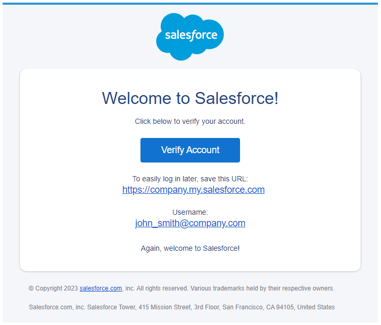
- You will receive an email from Salesforce asking you to verify your email address. Click 'Verify Account':
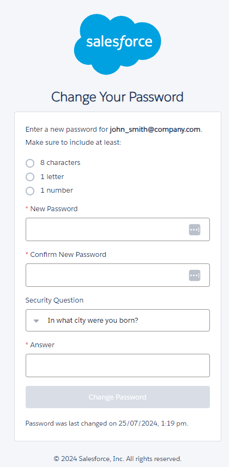
- This will take you to a webpage to set your password for accessing the system. Define your password and security answer, and then click 'Change Password':
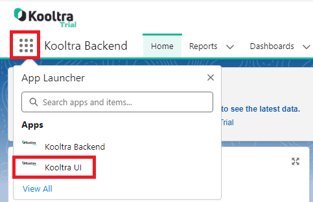
- You will then be logged in to Kooltra's Salesforce backend, from which you can build custom reports and dashboards. To access to the Kooltra application:
- Click on the App Menu in the top-left of the screen
- Click 'Kooltra UI' from the drop-down that loads