![Kooltra_Logo_Green_White_RGB.png]](https://help.kooltra.com/hs-fs/hubfs/Brand%20Assets/Kooltra_Logo_Green_White_RGB.png?height=40&name=Kooltra_Logo_Green_White_RGB.png)
The NOP Limit functionality in Kooltra provides the ability to restrict clients' Net Open Position exposure.
When clients request to trade, they will be unable to execute if their resultant Net Open Position would exceed the NOP Limit specified (see Pre-Trade Credit Check).
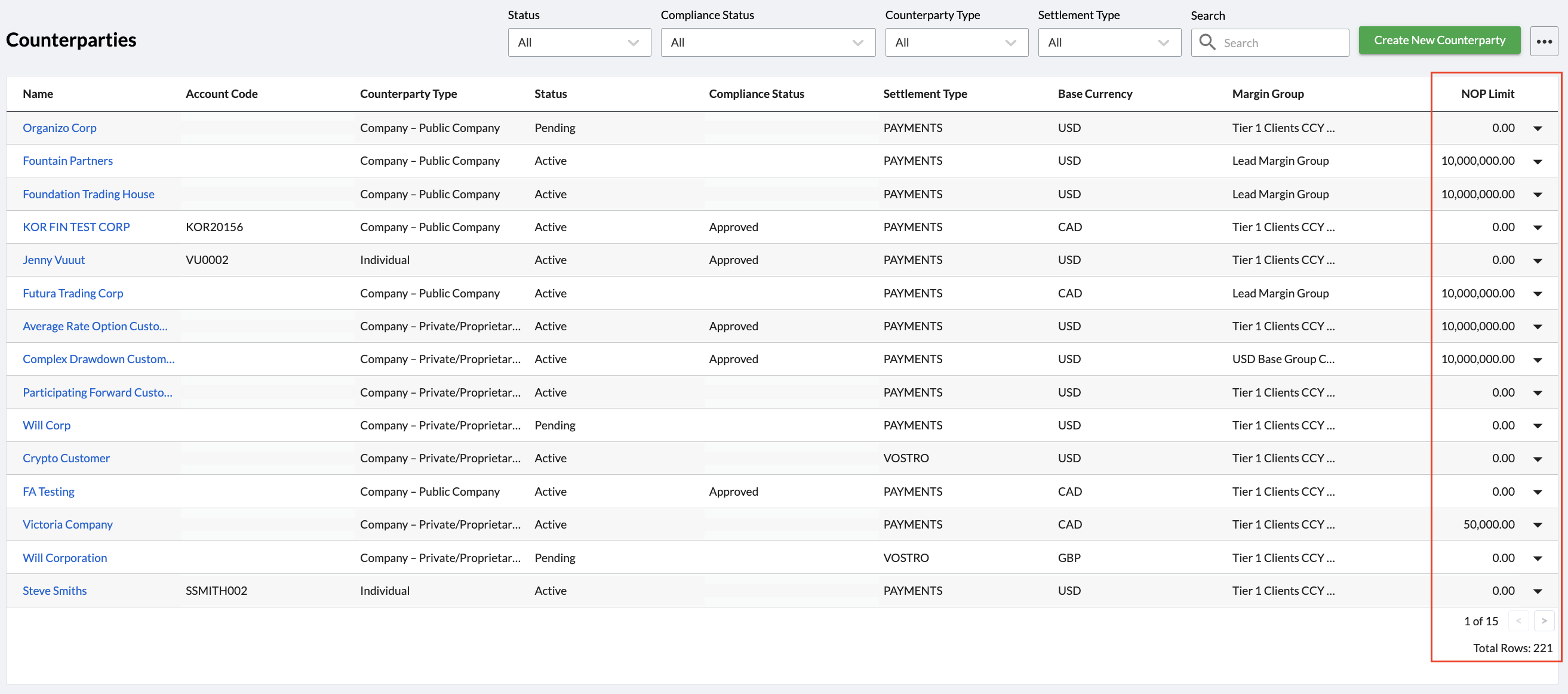
The NOP Limit assigned to a client can be seen on the Counterparties page, accessed via Counterparties > Counterparties in the navigation panel as below:
NOP Limits related to clients can be updated by clicking on the relevant Counterparty Name in the Account Setup page and specifying the required NOP Limit in the field provided on the right hand side of the page. The currency in which the NOP Limit will be evaluated is shown on the right side of this field:
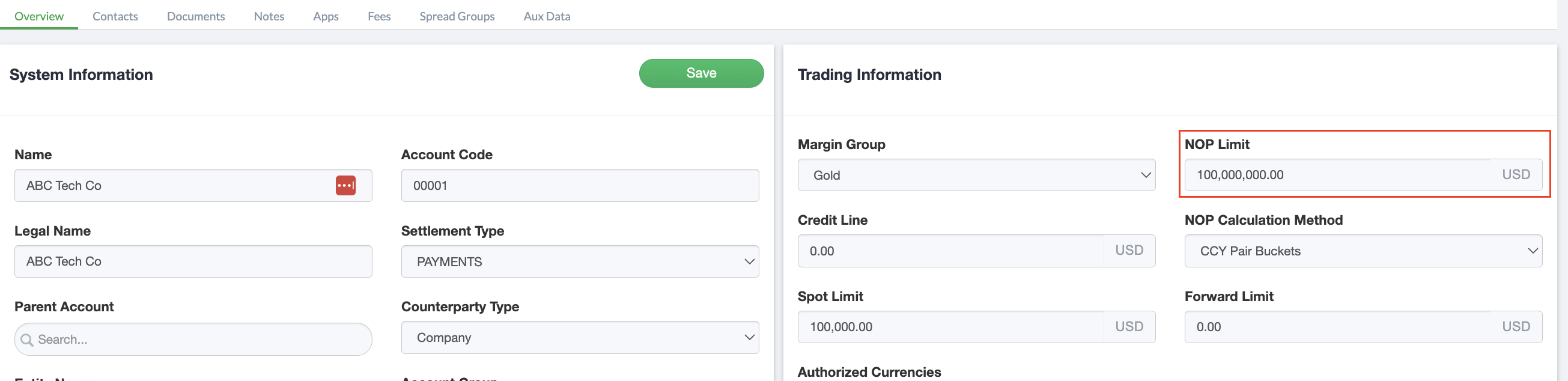
After making any updates to the NOP Limit for a Counterparty, click Save to commit the changes.