What's the difference between a Nostro and a Vostro?
A Nostro account in Kooltra refers to a cash account owned by you, either as a balance held with a liquidity provider or a bank. The term Nostro is derived from the Latin word 'nostra' meaning 'ours'.
A Vostro account in Kooltra refers to a cash account belonging to one of your clients or counterparties. The term Vostro is derived from the Latin word 'vestro' meaning 'your'.
Where can I see my Nostro balances in Kooltra?
The Bank Accounts page in Kooltra shows all of your Nostro balances. To access this page, click Settlements > Bank Accounts in the navigation panel.
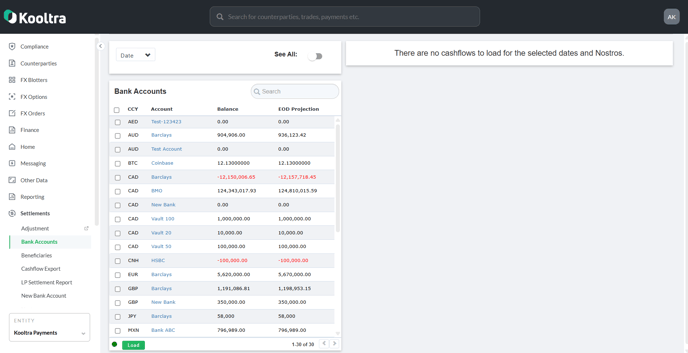
The Bank Accounts page shows a list of all of your Nostro accounts with the associated currency, current balance and projected end of day balance based on cashflows that are due to settle today.
You can identify a specific Nostro using the search bar provided:

By default, only bank account Nostros are displayed. To also see liquidity provider Nostro balances, click on the Show All toggle at the top of the page.
Where can I see the transactions going into or out of my Nostro account?
You can inspect the line-by-line transactions going into/out of each Nostro from within the Bank Accounts page. To do this:
- Use the Date drop-down at the top of the page to select a date range that you would like to see individual transactions for
- Mark the check-box next to the Nostro accounts you wish to see the breakdown for
- Click Load at the bottom of the page
- The individual credits and debits going into / out of the account during the period specified in step 1 are then displayed on the right of the page as below:
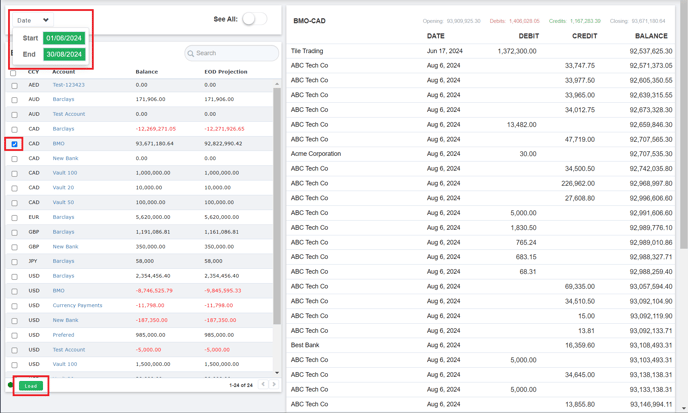
If you would like to change the date range to show more/less cashflows, click on the date filter and update accordingly. If you change the date filter and you already have cashflows loaded, you will need to reload (step 3 above).
Lines shown in white in this table are payments that have already been processed. Lines displayed in light-grey are those that have been entered into Kooltra, but have not yet been processed:

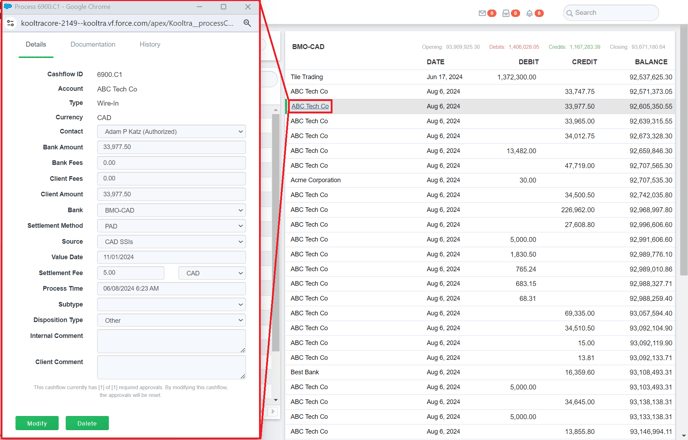
Clicking on the name on the left of any of these rows (e.g. 'ABC Tech Co') will load the cashflow ticket displaying the full details of the payment as below:
Where can I see my clients' Vostro balances in Kooltra?
The Counterparty Summary page in Kooltra shows the balances held by a specific client in each currency.
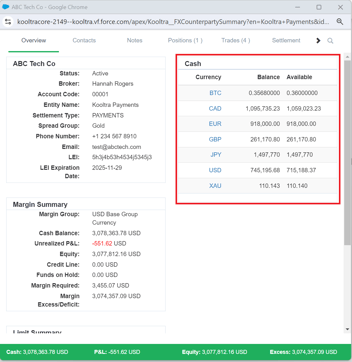
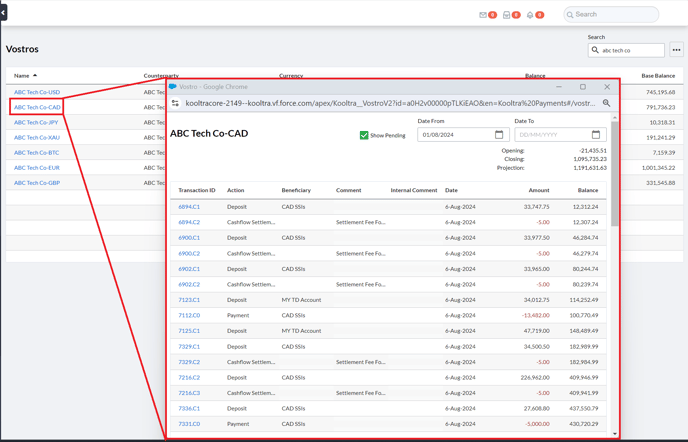
The Vostros page in Kooltra shows a list of all Vostro balances in the system. To access this page, go to Settlements > Vostros in the navigation panel.
This will load a table of all Vostros and their associated counterparty, currency, current balance and current balance in your base currency.
The table can be sorted by clicking any of the column headers, or filtered by searching a vostro name, counterparty name or currency within the local search bar.
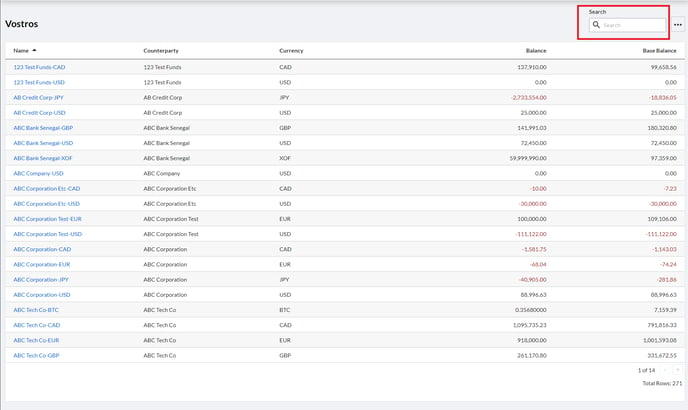
Clicking the three dots to the right of the Search bar allows users to export the information on the page to CSV file.
Where can I see the transactions going into or out of my client's Vostro account?
The full breakdown of the cash movements in and out of a specific Vostro can be accessed from either the Vostros or Counterparty Summary pages above.
In either case, simply click on the Vostro in question.
From the Counterparty Summary page:
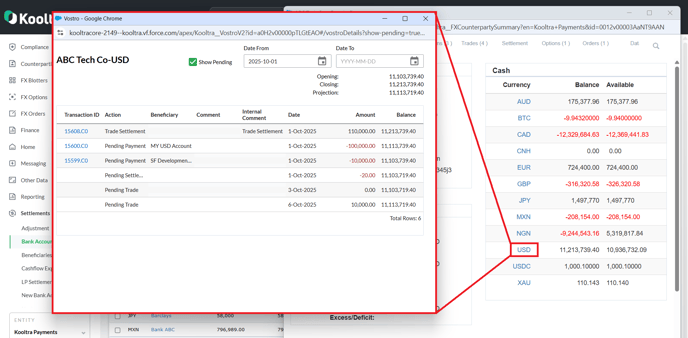
From the Vostros page: